Munchie Masters App

Munchie Masters App

Munchie Masters App

Cooking

Cooking

Social UX

Social UX

Gamification

Gamification

A gamified mobile app making learning to cook fun, social, and engaging.

A gamified mobile app making learning to cook fun, social, and engaging.

Overview

Overview

Role

UX Designer

Timeline

10 weeks (Jan - Mar 2024)

Team

6 designers (with UCSD Design Co Studio)

Skills

Mobile App Design, Branding, Affinity Mapping, UX

As part of a design workshop with Design Co at UCSD, my team and I designed Munchie Masters, an app for college students designed to make cooking easier, more engaging, and socially interactive. Munchie Masters gamifies the cooking process through rewards, social engagement features, and a leveling system where users can progress by learning skills and cooking recipes.

I contributed to UX research, conducting and synthesizing initial user surveys, affinity diagrams, and competitive analysis. I also led prototyping efforts, sketching out lo-fi wireframes and creating the initial information architecture, and contributed to hi-fi iteration by working on the Skills and Main Menu pages.
Role

UX Designer

Timeline

10 weeks (Jan - Mar 2024)

Team

6 designers (with UCSD Design Co Studio)

Skills

Mobile App Design, Branding, Affinity Mapping, UX

As part of a design workshop with Design Co at UCSD, my team and I designed Munchie Masters, an app for college students designed to make cooking easier, more engaging, and socially interactive. Munchie Masters gamifies the cooking process through rewards, social engagement features, and a leveling system where users can progress by learning skills and cooking recipes.

I contributed to UX research, conducting and synthesizing initial user surveys, affinity diagrams, and competitive analysis. I also led prototyping efforts, sketching out lo-fi wireframes and creating the initial information architecture, and contributed to hi-fi iteration by working on the Skills and Main Menu pages.
Problem

Problem

The primary problem that the app addresses is the steep learning curve of cooking independently. Many people new to cooking struggle to make nutritious meals due to lack of knowledge, motivation, and guidance. This can make cooking feel intimidating and like a chore, not to mention the additional issues like food waste, tool usage, lack of inspiration, and unreliable online information.

We found this problem to mainly affect college students. Many students are coming from homes in which they were given cooked meals their whole lives but never cooked themselves, so being dropped into a brand-new environment such as college with no information on how to make your own meals can make learning cooking intimidating and difficult.

The primary problem that the app addresses is the steep learning curve of cooking independently. Many people new to cooking struggle to make nutritious meals due to lack of knowledge, motivation, and guidance. This can make cooking feel intimidating and like a chore, not to mention the additional issues like food waste, tool usage, lack of inspiration, and unreliable online information.

We found this problem to mainly affect college students. Many students are coming from homes in which they were given cooked meals their whole lives but never cooked themselves, so being dropped into a brand-new environment such as college with no information on how to make your own meals can make learning cooking intimidating and difficult.

Research

Research

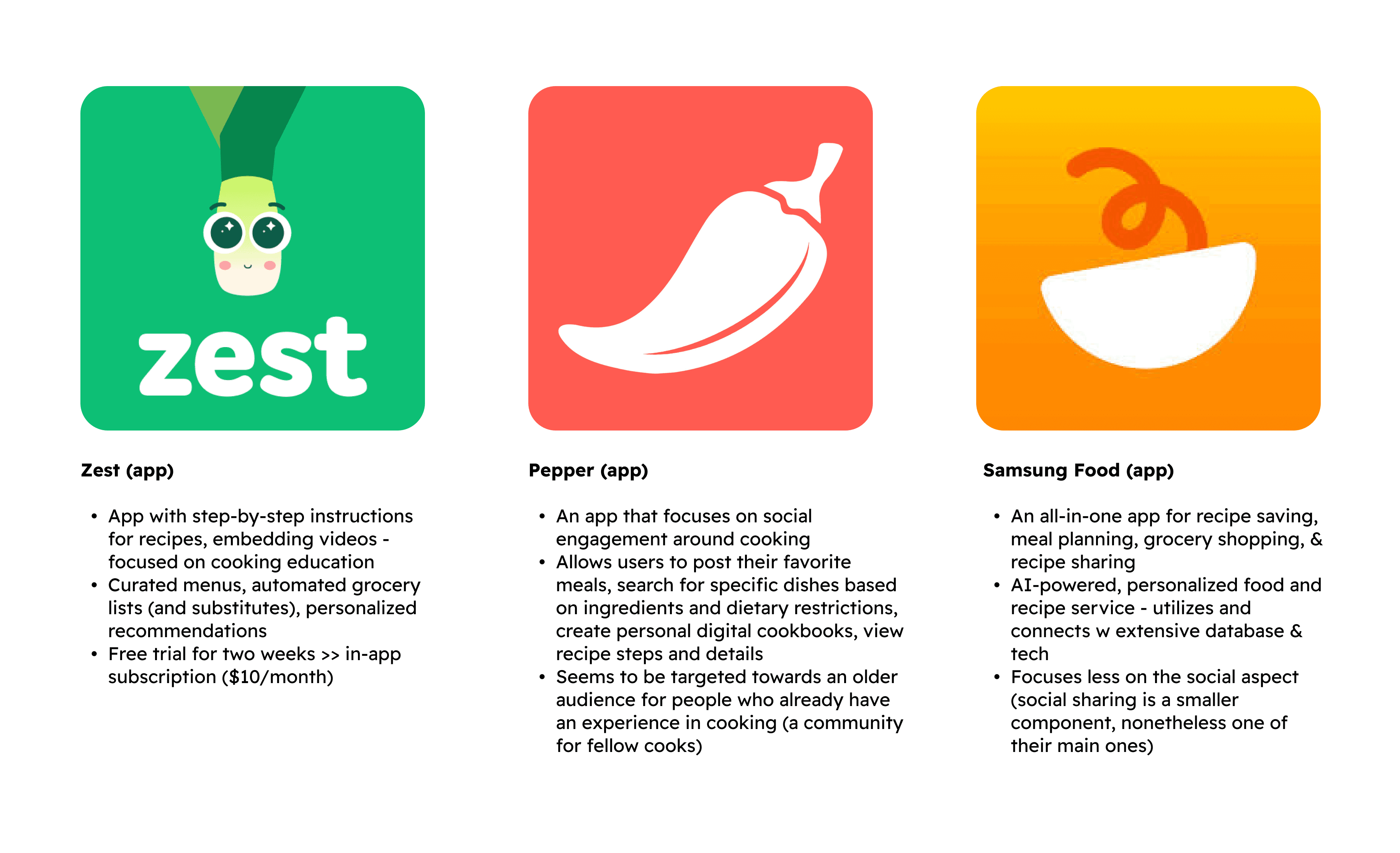
We started off with a competitive analysis of other similar cooking apps in order to determine common user pain points and uncover potential gaps in the market, particularly around social features and user motivation.

Competitive Analysis

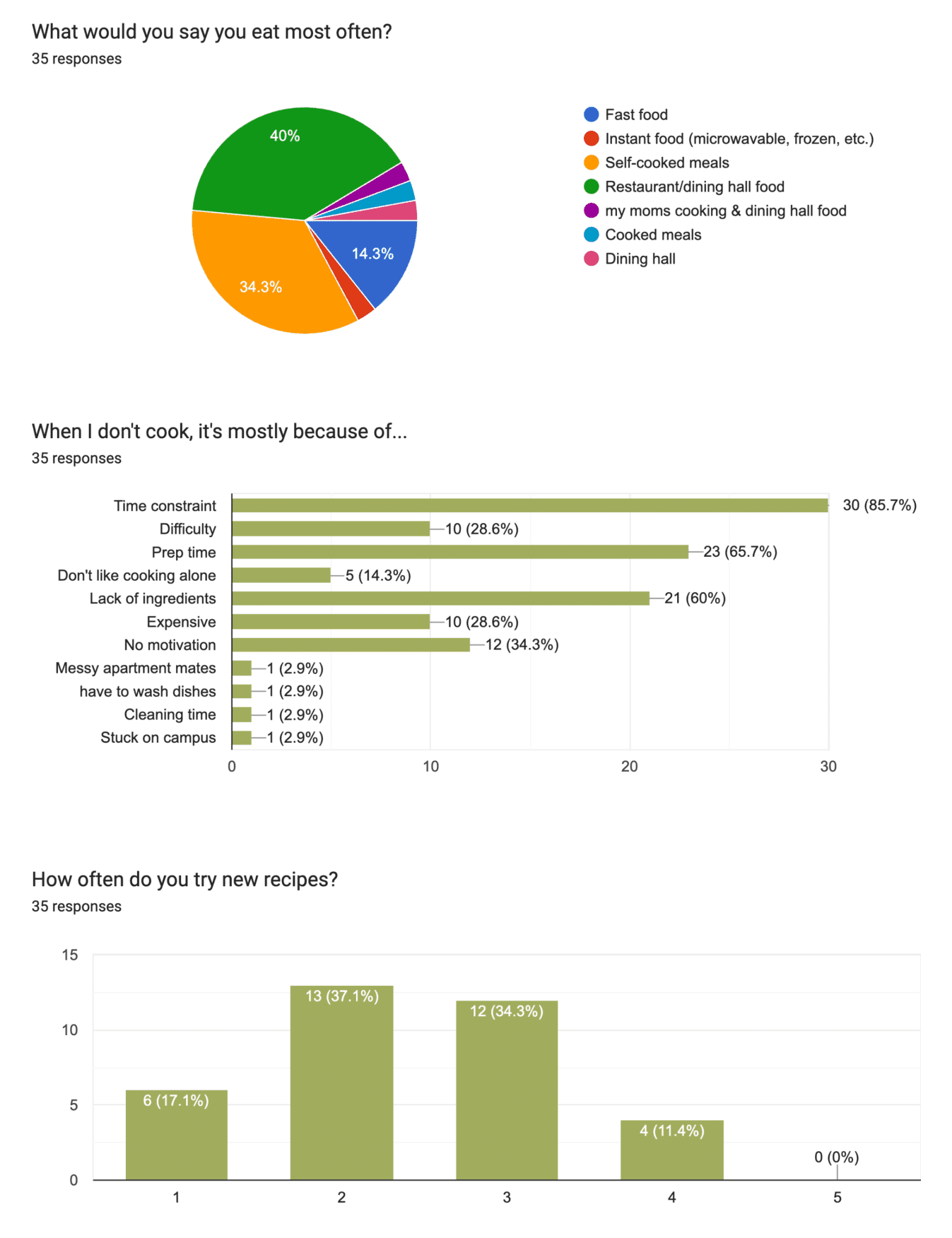
To get a closer look at true user pain points, we conducted a Google Forms survey and sent it out to fellow undergraduate students around campus, asking about their cooking ability and experience and main pain points.

User Survey Results

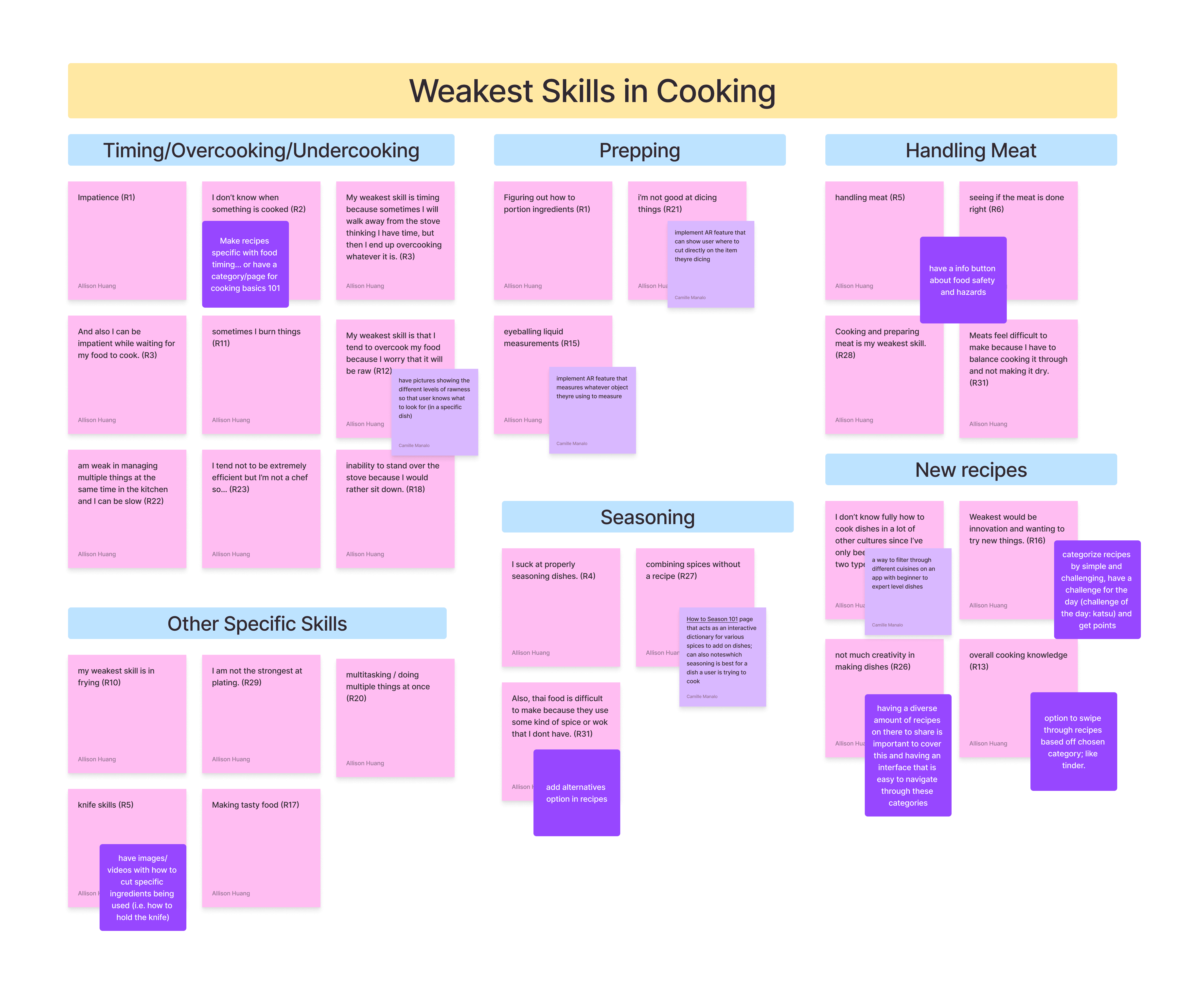
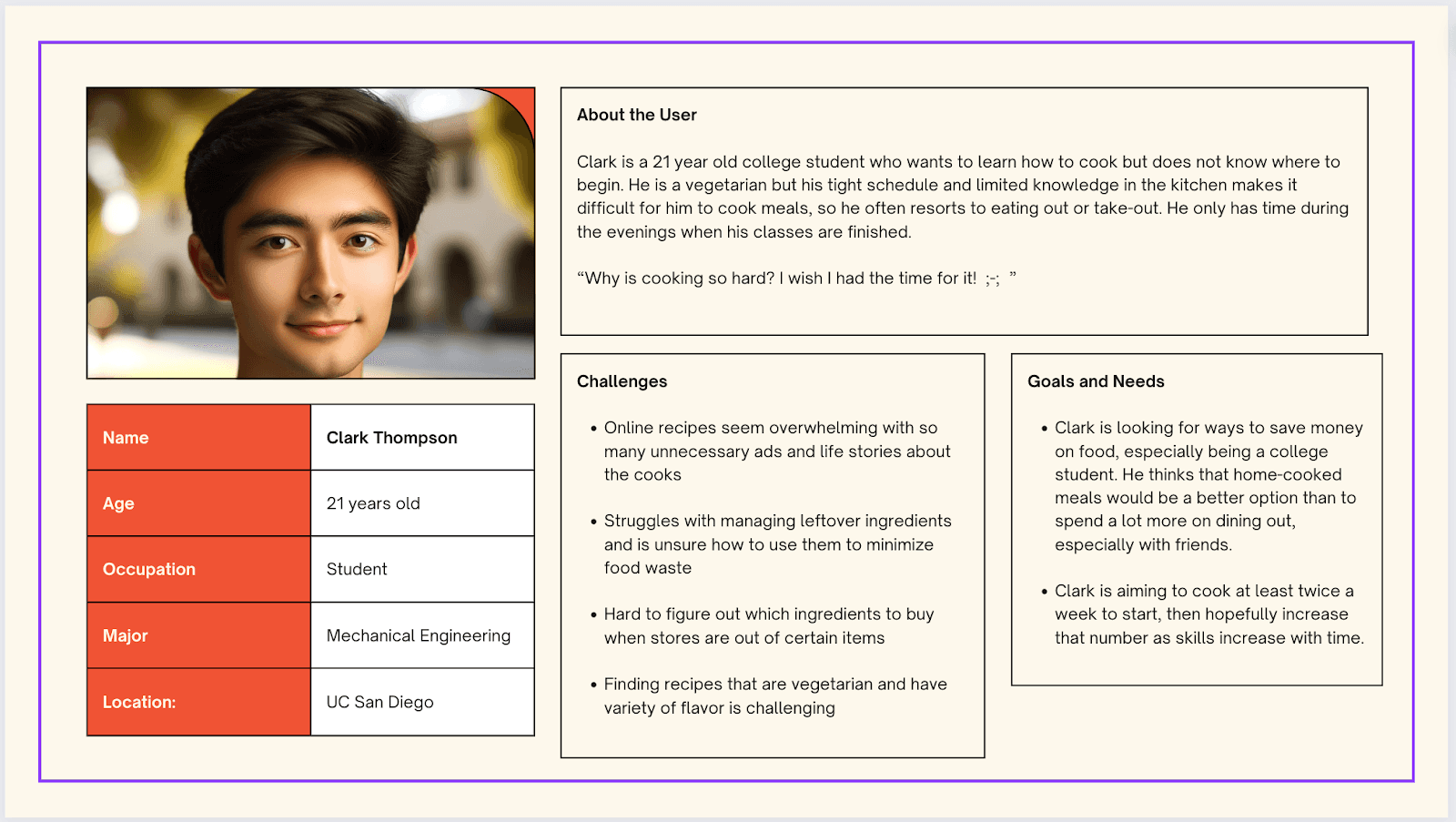
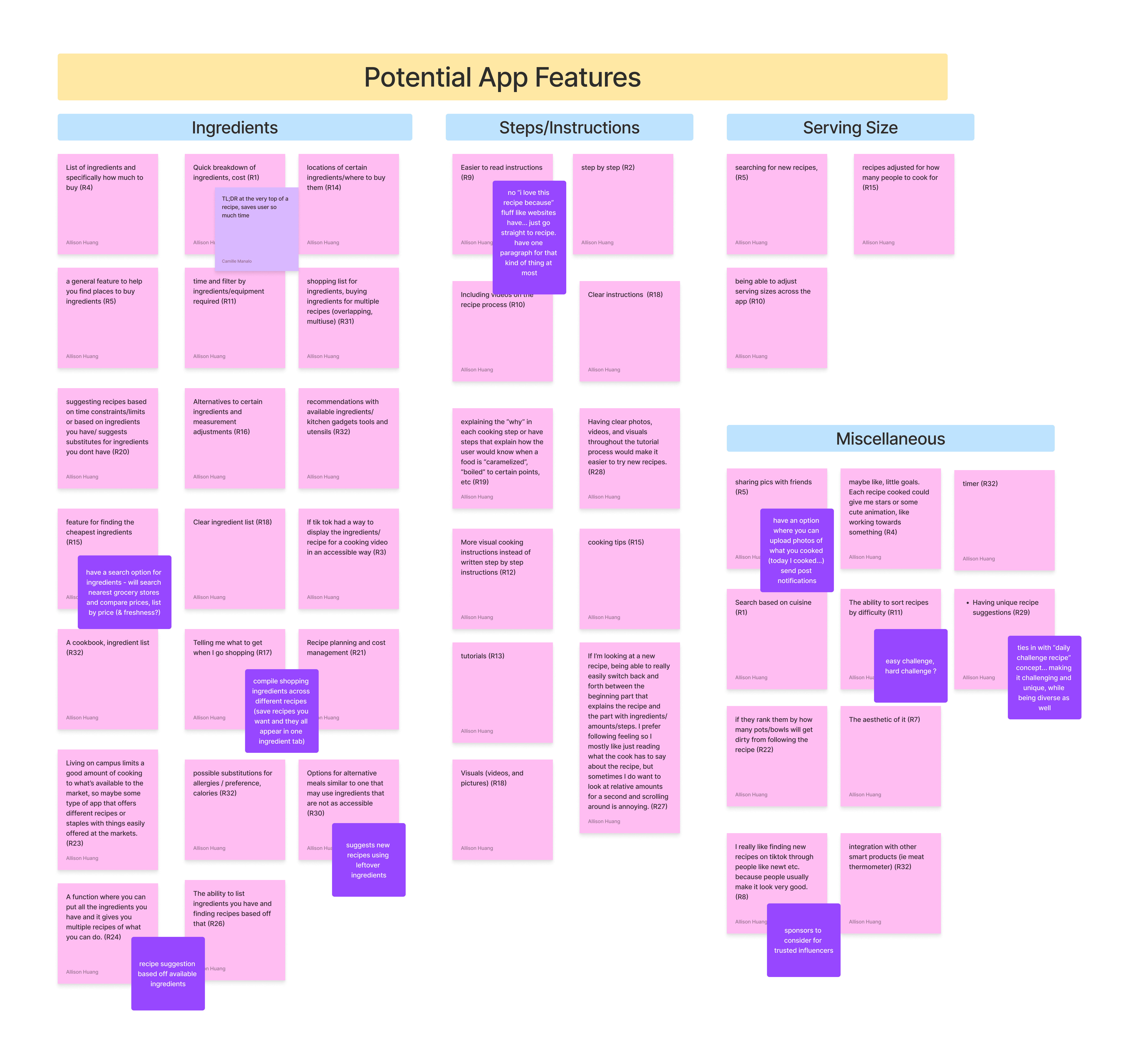
Since the user surveys also included sections for written responses, I suggested the creation of multiple affinity diagrams and a user persona to help our team synthesize these answers and brainstorm potential app features and solutions.

Affinity Diagram: Potential App Features
Affinity Diagram: Cooking Pain Points
User Persona

From our research and the 32 responses we received, we narrowed down our app to a few core design goals:

Motivation through gamification

Create a gamified reward system to reward users and motivate them to continue user engagement.

Approachable learning

Create a progressive learning path, e.g. a reward system or leveling system, to slowly build skills. Beginner cooks should start with smaller, less time consuming meals to address concerns over time constraints and laziness, then scale up accordingly.

Social community

Users should be able to connect with friends and peers who are on similar cooking journeys (e.g. cooking challenges), creating a social aspect that further deepens user engagement and retention.

Process

Process

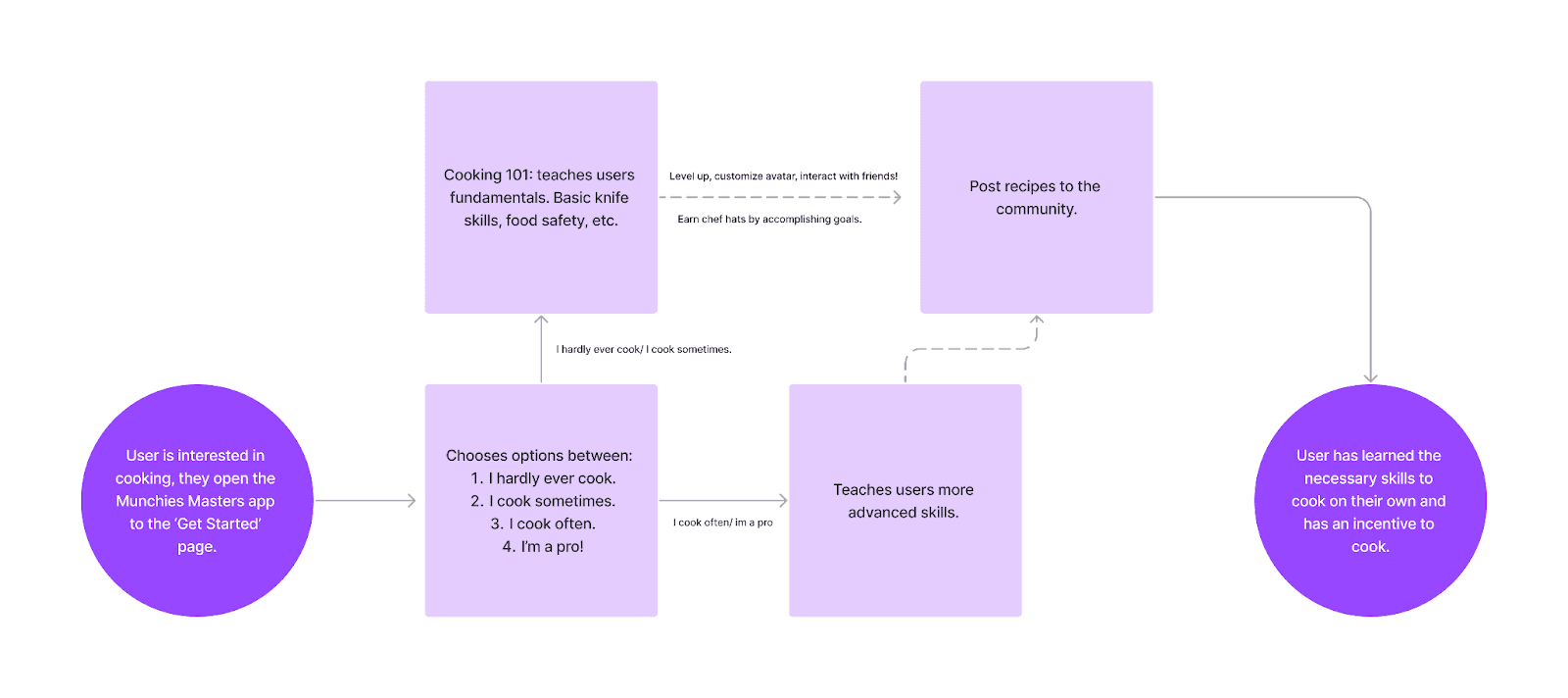
We started off with a basic user flow to demonstrate what a user could experience through using our app, going from being interested in cooking to learning the necessary skills to cook solo:

UX Flow

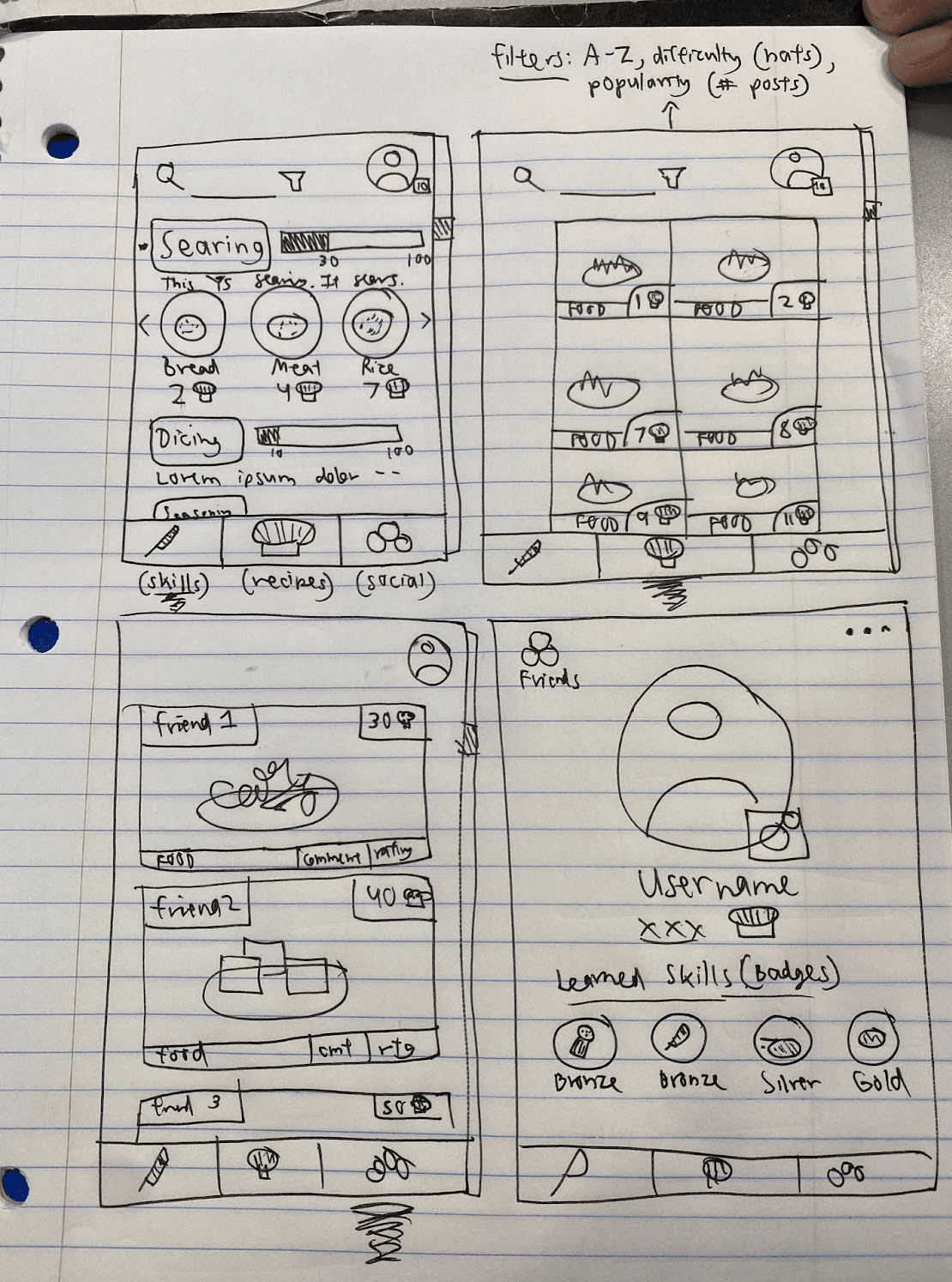
With this flow and our UX research in mind, I started our design by sketching out rough wireframes on paper, assembling our core design goals into different app sections:

  • Home screen: Showcased beginner tutorials covering essential skills like cutting, searing, and seasoning.

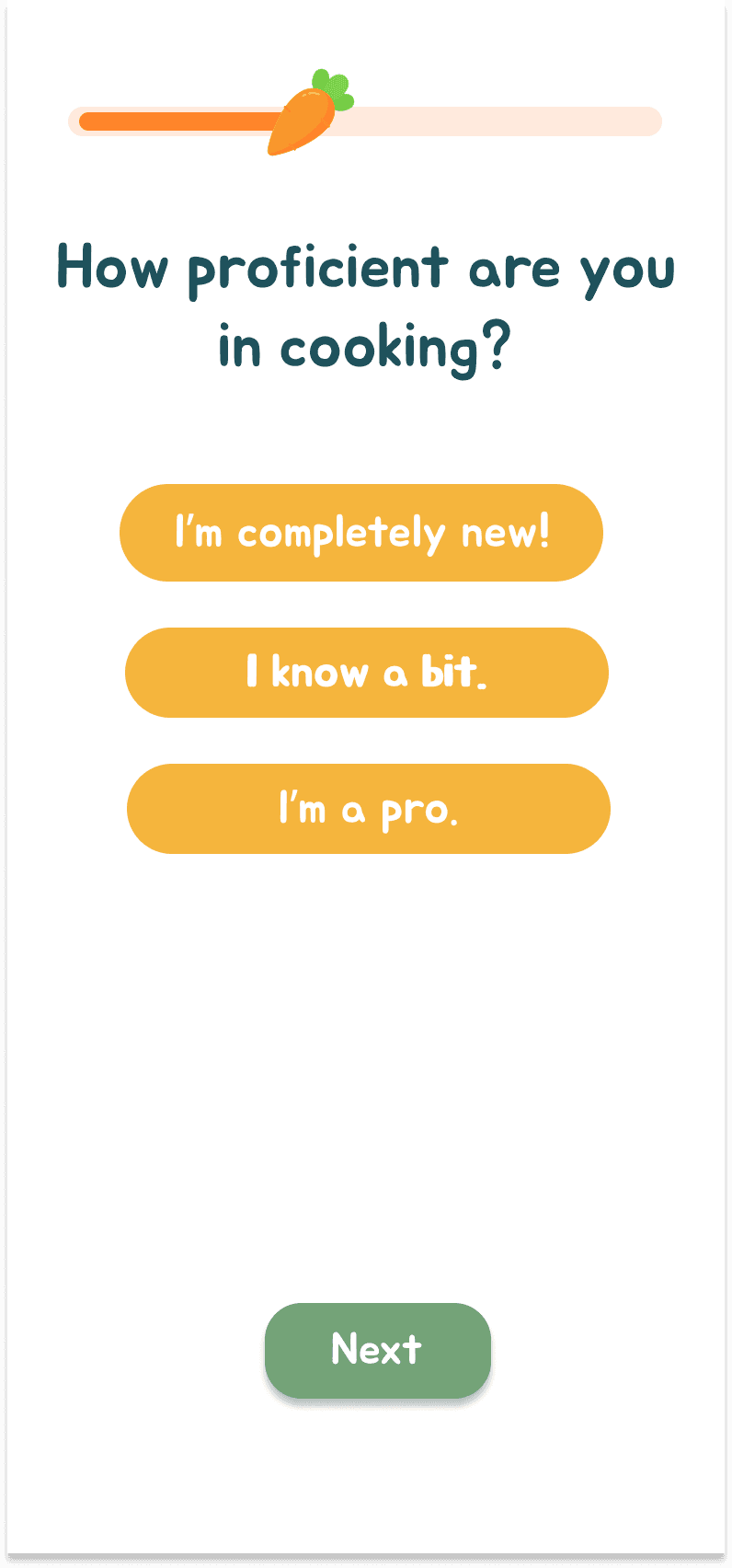
  • Intro onboarding survey: Determined user experience levels ("I hardly ever cook" to "I'm a pro") to personalize the tutorials displayed, making the app accessible to all skill levels.

  • Skills checklist: Allowed users to track completed skills, unlocking related recipes for progression and motivation. Each completed skill awarded “chef hats” as part of a gamified experience.

  • Search and filter options: Included on the recipes page for easy access to recipes by cuisine, ingredients, or prep time.

  • Social features: Showed community recipes, with options to customize your profile, post pictures, and connect with friends.

I iterated on the idea of approachable learning by splitting each learning module up by the type of cooking skill, i.e. searing, dicing, seasoning, etc. I also developed on the idea of motivation through gamification by adding "skill badges" that users display on their profile. This both serves as social proof for other users to recognize their cooking skill, as well as motivation for users to progress and upgrade their badges.

Lo-fi Wireframe Sketches

Due to time constraints, we were unable to conduct user testing and instead moved directly to the hi-fi prototype and complete our final design. While we were unable to flesh out our feedback and iteration process, the decision to move forward with hi-fi prototyping allowed us to complete a comprehensive design within our 10-week deadline. While not ideal, this reinforced to us the importance of being adaptable when working in the design process.

We started off with a basic user flow to demonstrate what a user could experience through using our app, going from being interested in cooking to learning the necessary skills to cook solo:

UX Flow

With this flow and our UX research in mind, I started our design by sketching out rough wireframes on paper, assembling our core design goals into different app sections:

  • Home screen: Showcased beginner tutorials covering essential skills like cutting, searing, and seasoning.

  • Intro onboarding survey: Determined user experience levels ("I hardly ever cook" to "I'm a pro") to personalize the tutorials displayed, making the app accessible to all skill levels.

  • Skills checklist: Allowed users to track completed skills, unlocking related recipes for progression and motivation. Each completed skill awarded “chef hats” as part of a gamified experience.

  • Search and filter options: Included on the recipes page for easy access to recipes by cuisine, ingredients, or prep time.

  • Social features: Showed community recipes, with options to customize your profile, post pictures, and connect with friends.

I iterated on the idea of approachable learning by splitting each learning module up by the type of cooking skill, i.e. searing, dicing, seasoning, etc. I also developed on the idea of motivation through gamification by adding "skill badges" that users display on their profile. This both serves as social proof for other users to recognize their cooking skill, as well as motivation for users to progress and upgrade their badges.

Lo-fi Wireframe Sketches

Due to time constraints, we were unable to conduct user testing and instead moved directly to the hi-fi prototype and complete our final design. While we were unable to flesh out our feedback and iteration process, the decision to move forward with hi-fi prototyping allowed us to complete a comprehensive design within our 10-week deadline. While not ideal, this reinforced to us the importance of being adaptable when working in the design process.

Solution

Solution

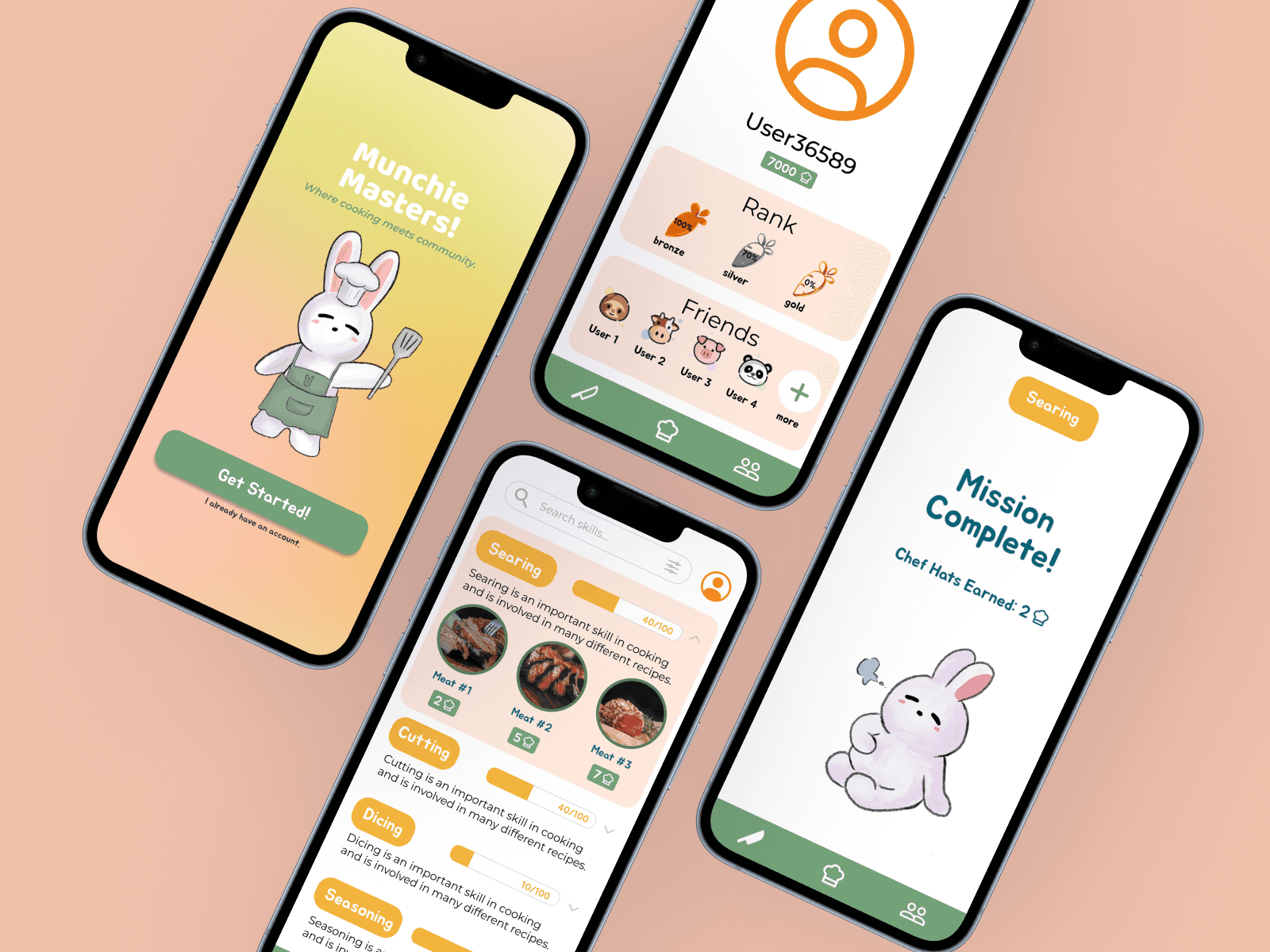
Moving forward with our prototyping stage, we developed our final design informed by our initial research insights. We had five main sections we divided work upon: the onboarding/initial user survey, the recipes page, the social page, and the skill developing/tutorial page.

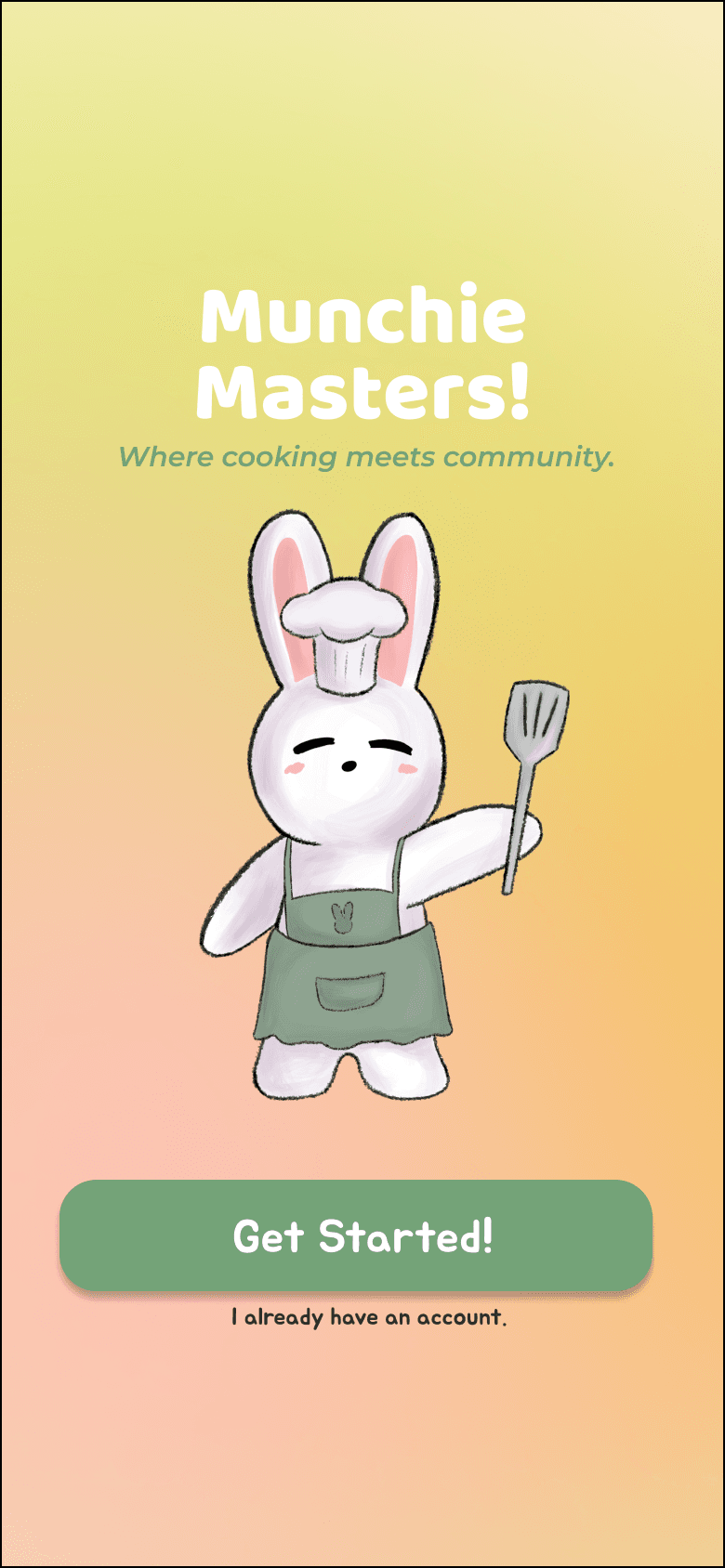
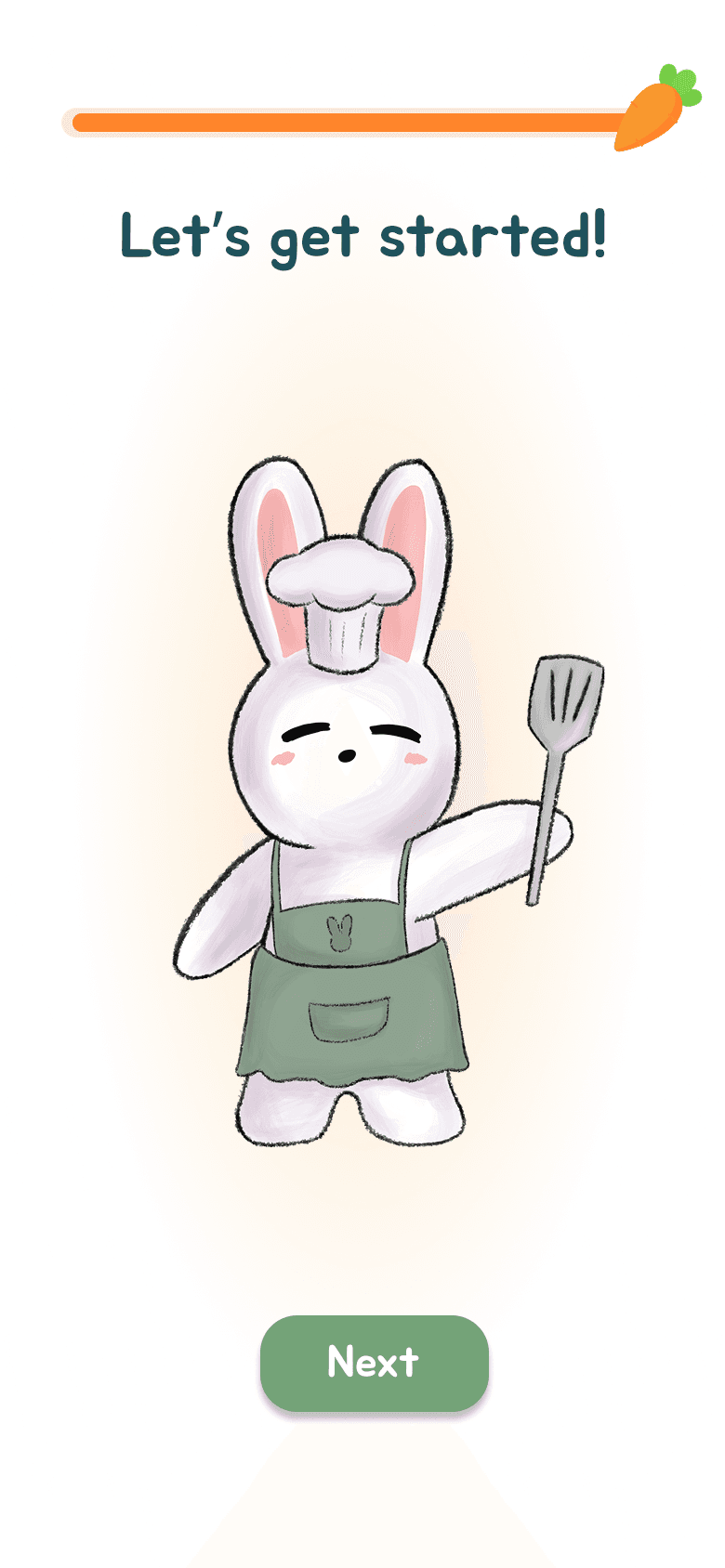
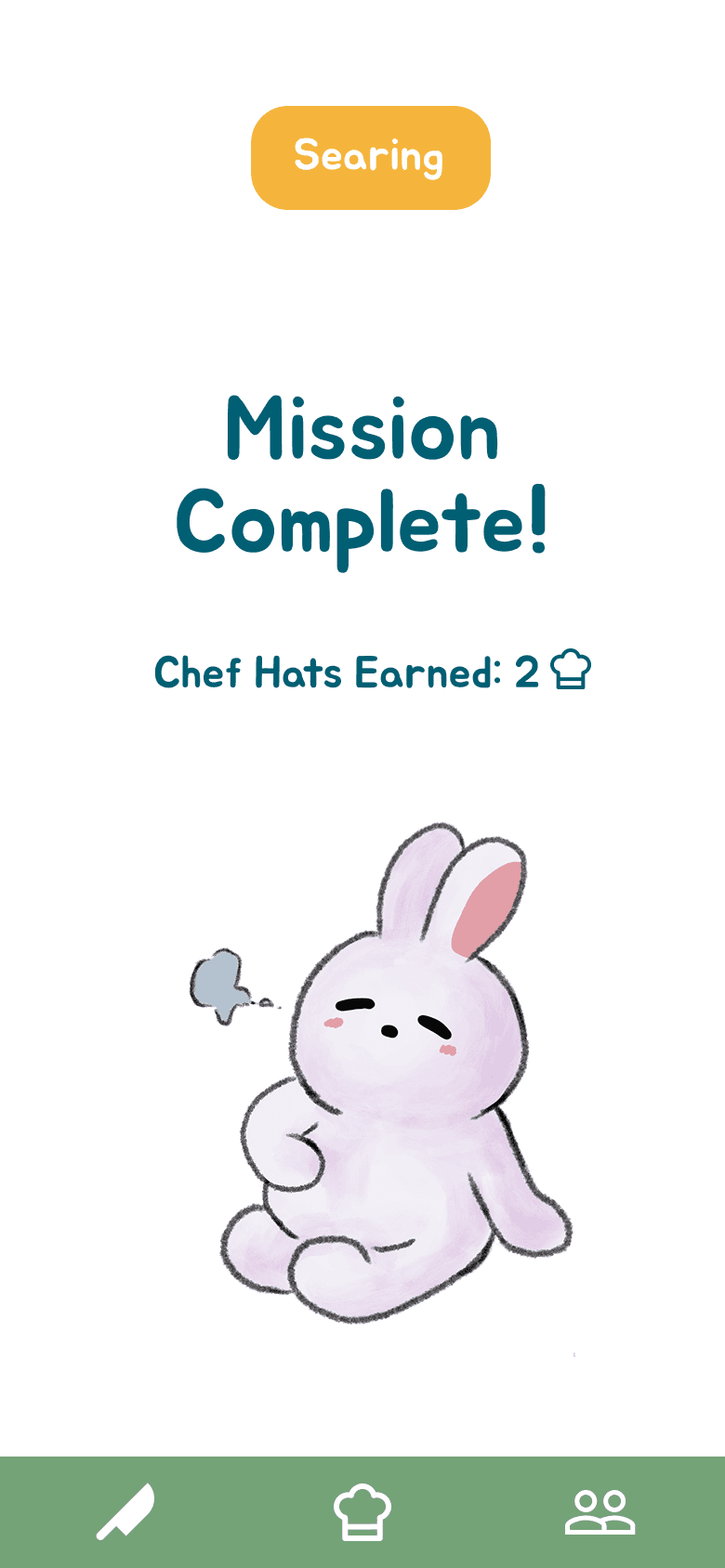
We decided on a playful design with fun, bright colors and a cartoon rabbit mascot. We felt that this theme would help serve the purpose of making the app fun and easy to use.

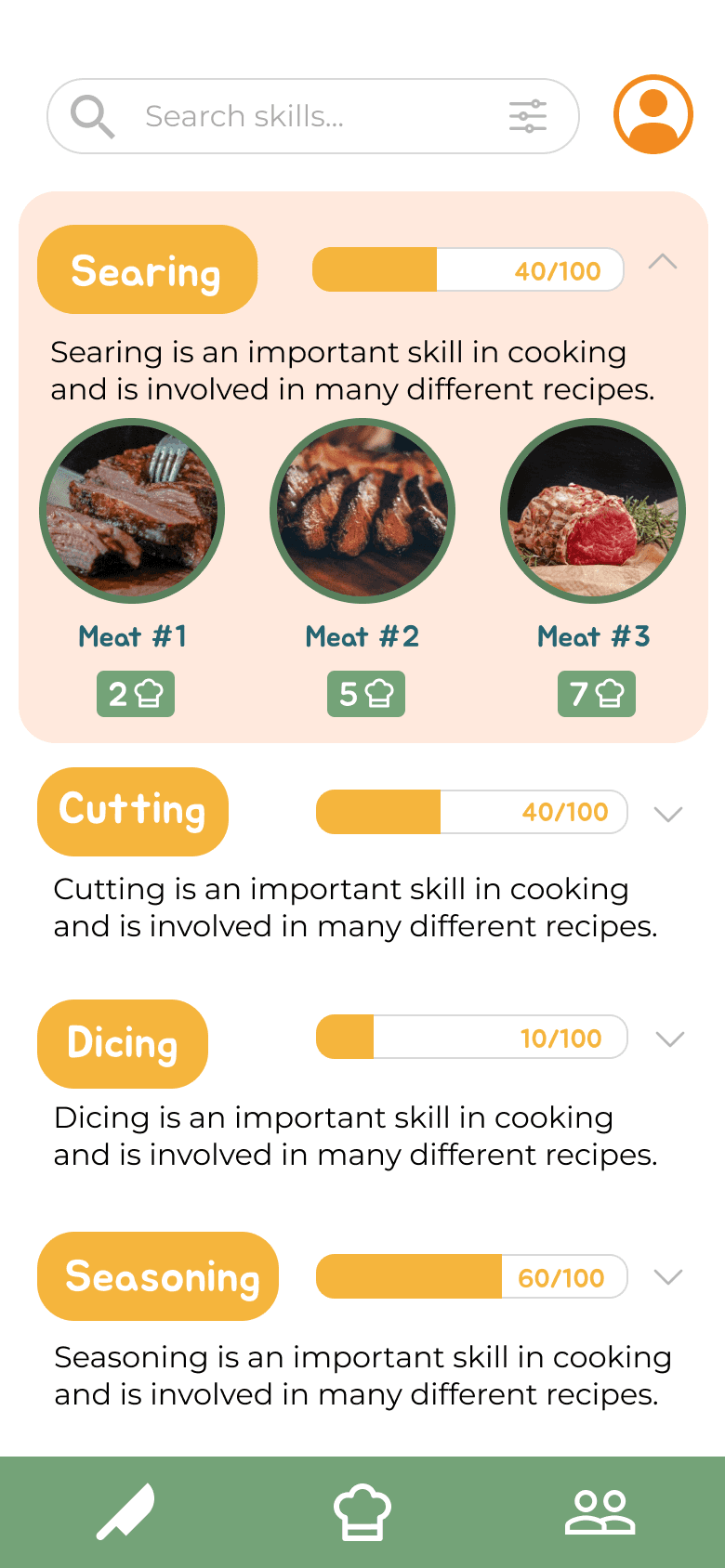
I primarily worked on the skills section, fleshing out the main menu's "all skills" page and ensuring visual consistency with the rest of our design.

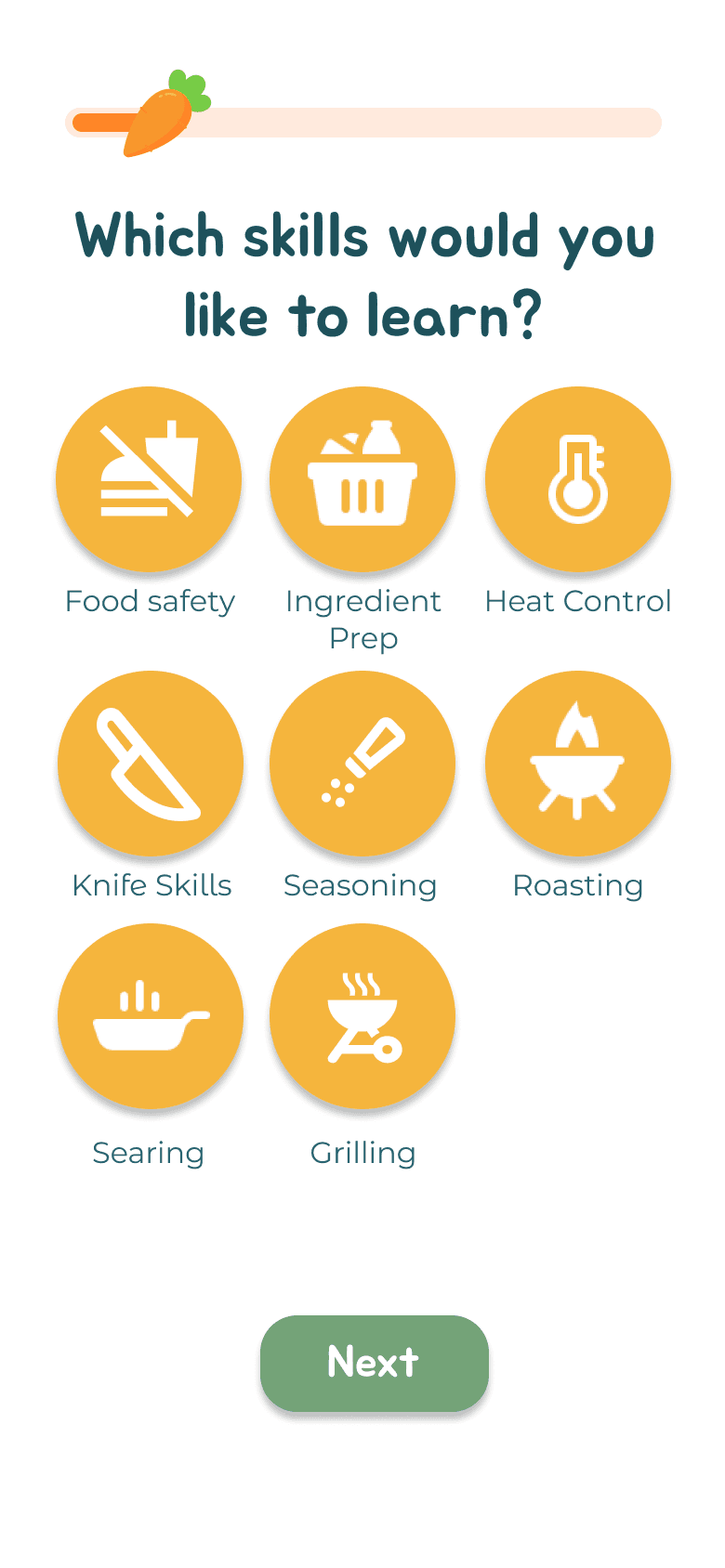
Onboarding and initial user survey:

Guides users through setup and identifies skill levels to personalize the learning experience.

Social Features:

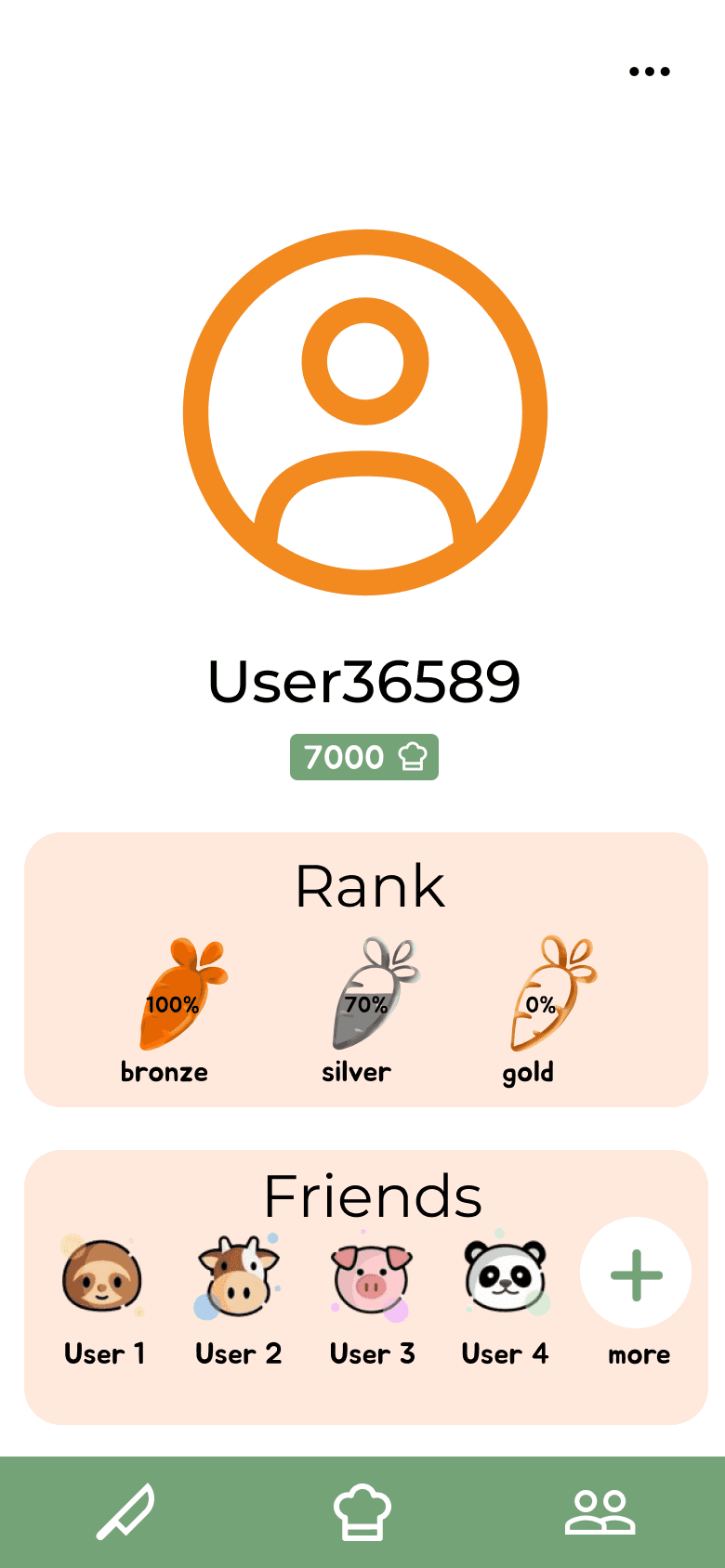
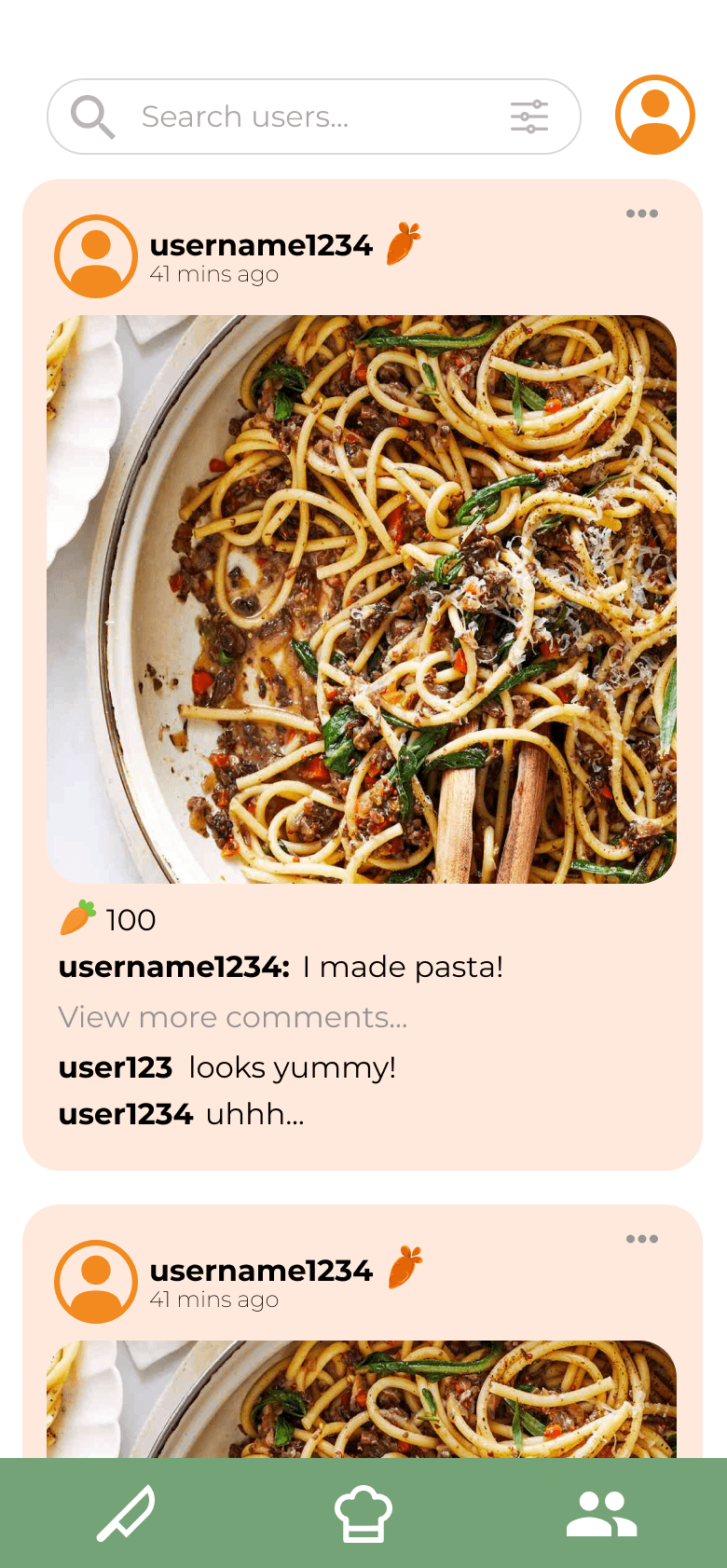
Users have profiles featuring skill badges to show off to friends, and a place to share recipes and comment on other friends' recipes.

Profile Page
Sharing Recipes

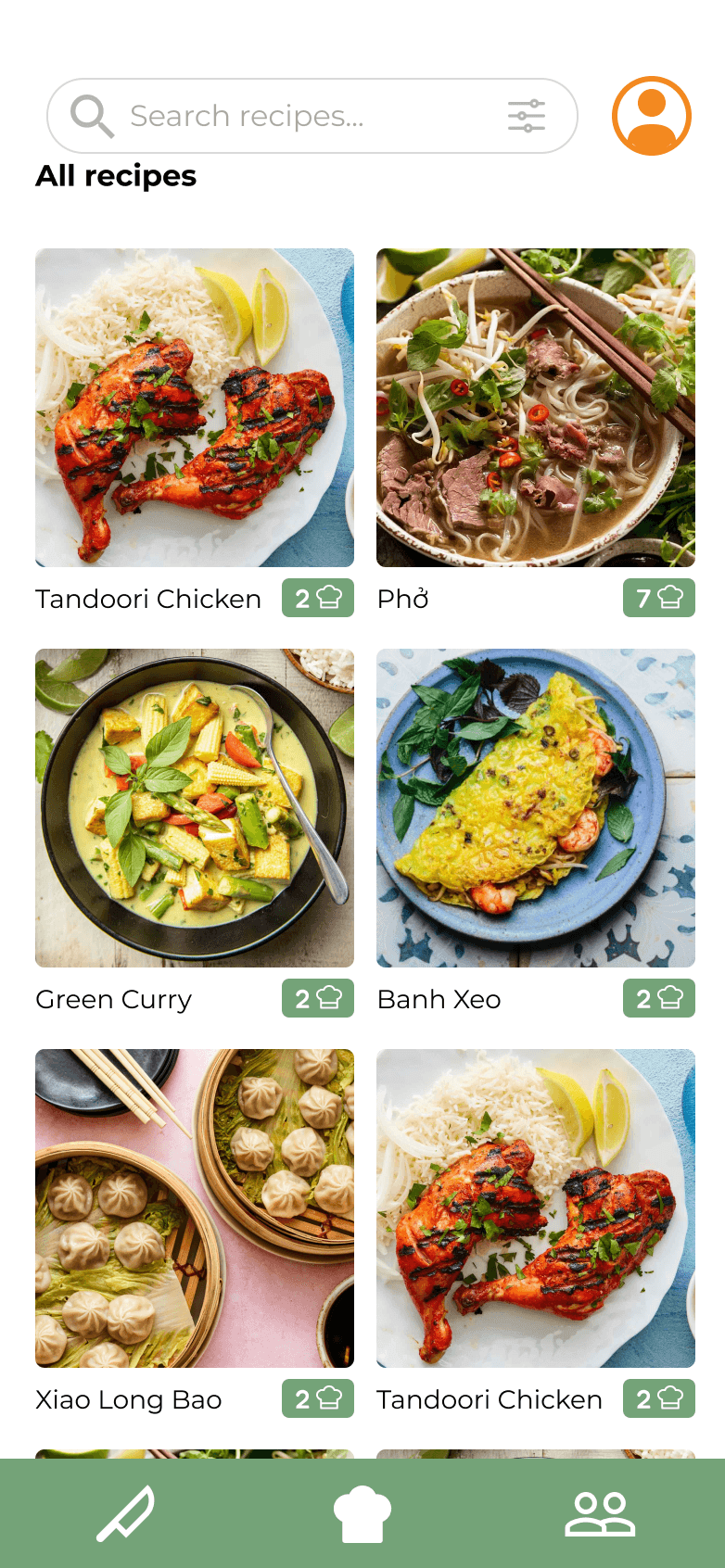
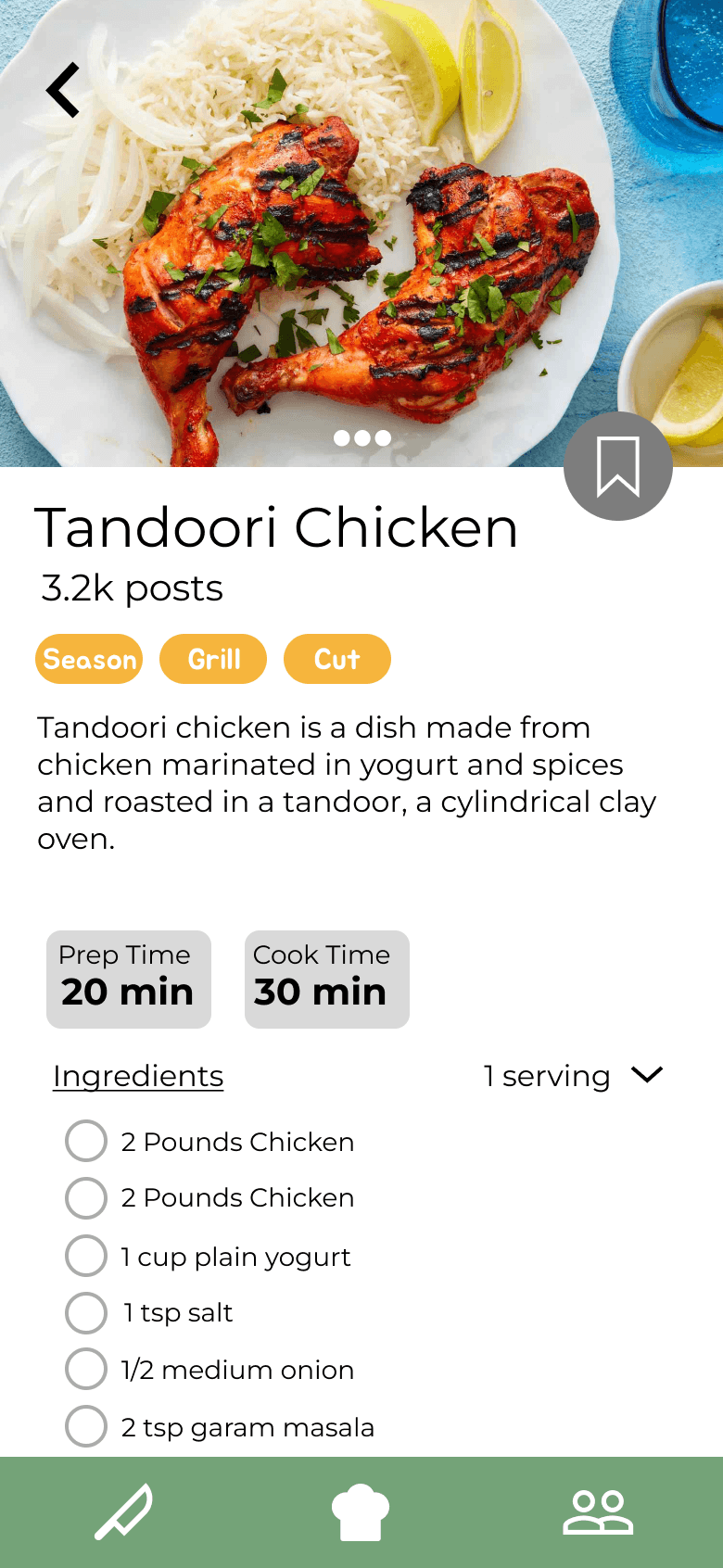
Recipes Page:

Presents beginner-friendly, time-efficient recipes with tips for easier cooking and cleanup.

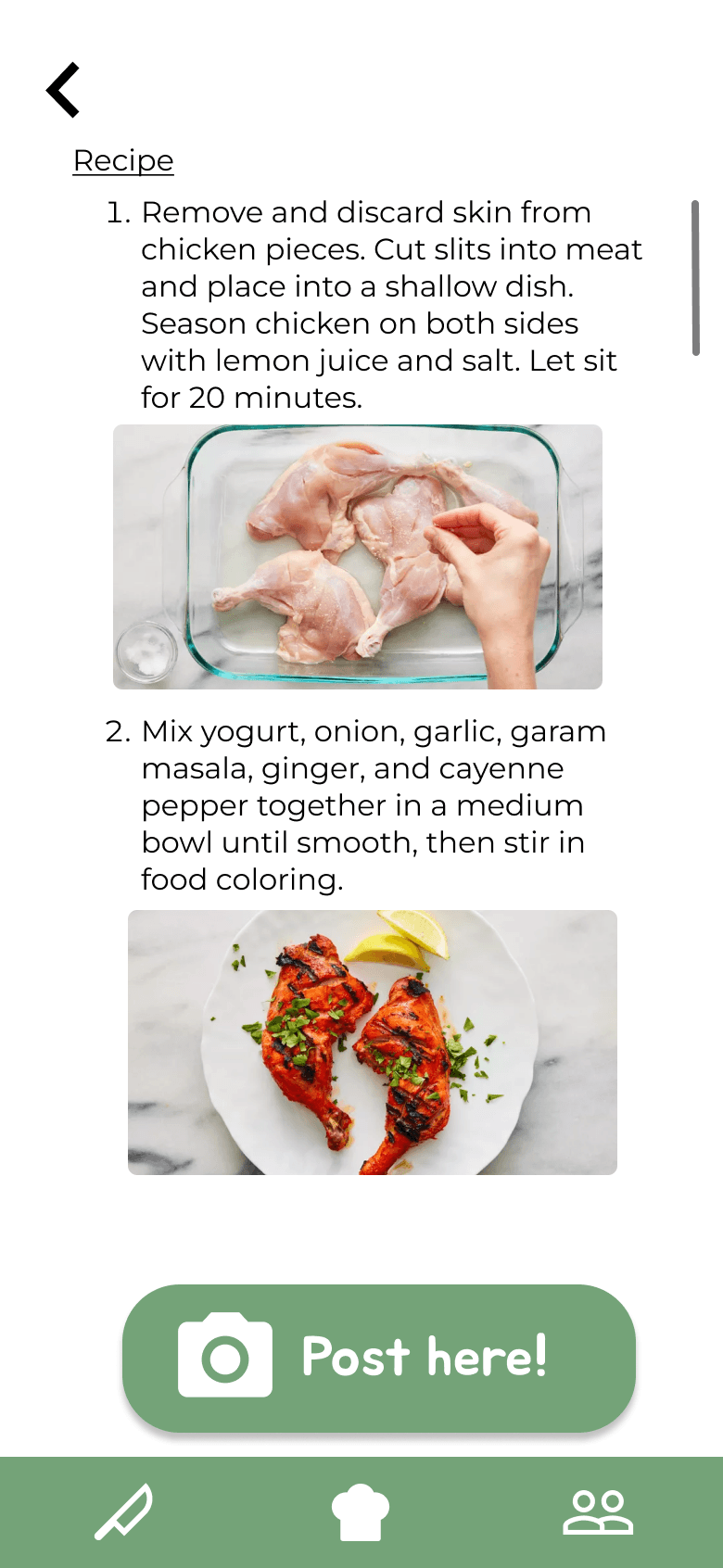
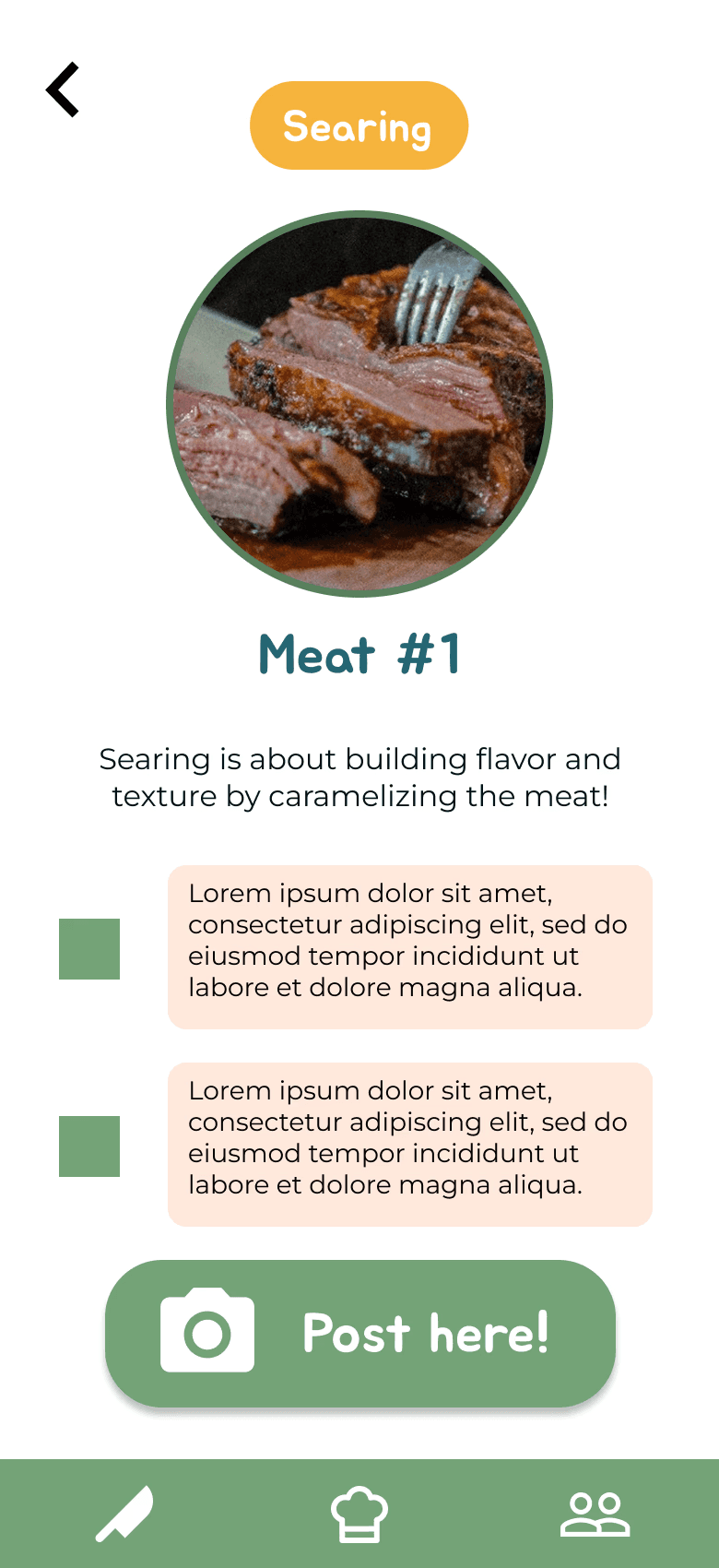
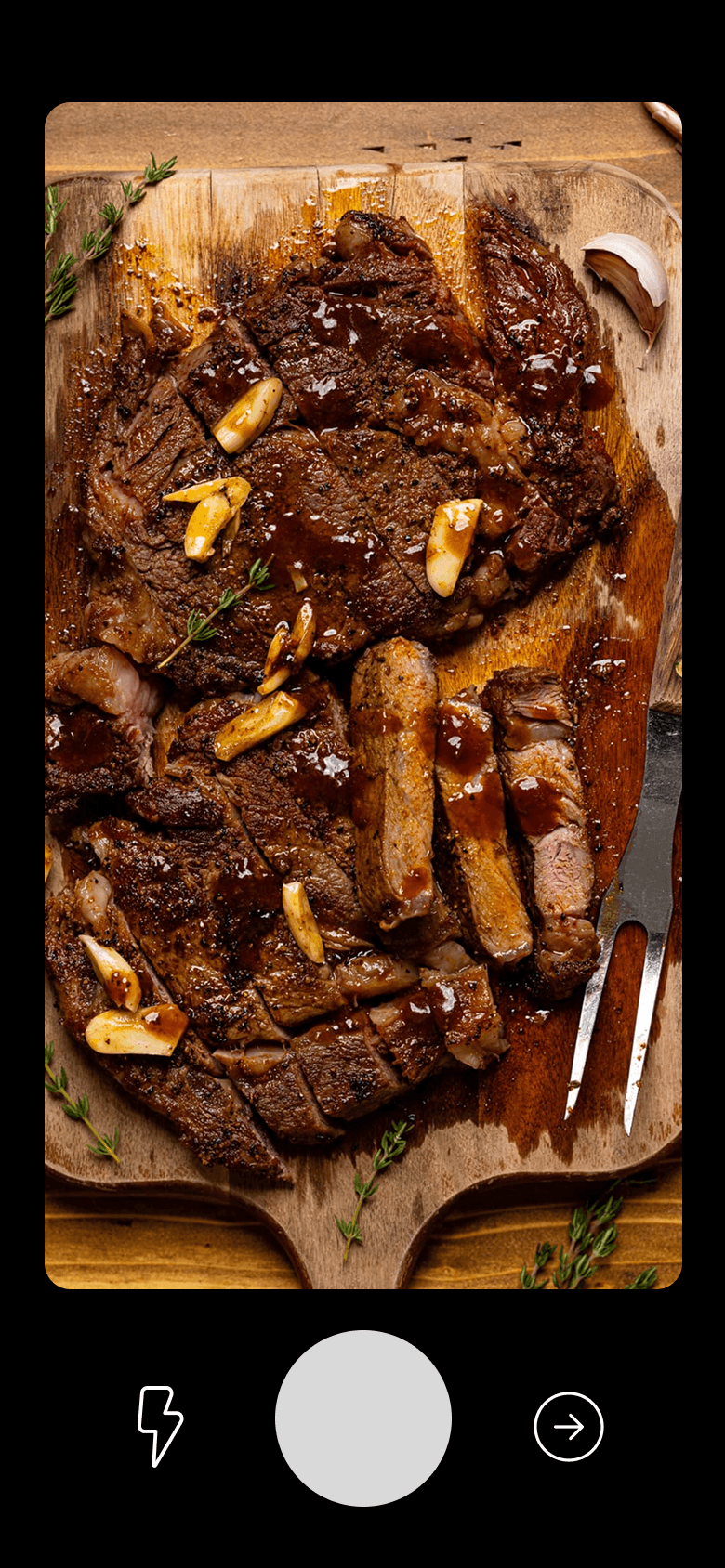
Skill Tutorials

Learn individual skills through targeted tips and interactive guidance to help users improve their cooking skills.

  1. Choose from a list of skills
  1. Follow instructions to learn skill
  1. Take a picture to show skill off
  1. Complete lesson!

Here's how our final design follows our core design goals:

Motivation through gamification

A reward system tracks user progress and incentivizes consistent cooking, keeping engagement high.

Approachable learning

A progressive learning path helps users gradually build skills, starting with simple meals and scaling up as they earn rewards.

Social community

Users connect with friends through profiles, recipe sharing, and cooking challenges, adding a social layer that reinforces engagement and retention.

In the end, the app prototype, along with a promotional video, were presented at a project showcase to an audience of 50-60, alongside many other similar projects.

You can check out the Figma prototype here.

Reflection

Reflection

Working on Munchie Masters helped to solidify my understanding of the design process, especially how essential user research is. Conducting so many user interviews, surveys, creating affinity diagrams, and creating competitive analyses really helped us narrow down what users wanted and what we should focus on in our design goals, and it reinforced the importance of this stage in our project.

One key takeaway from this project was the importance of adaptability. As with any project, this one suffered from time constraints, scheduling conflicts, and overall busy schedules, and as such we were unable to go forward with detailed user tests of our prototypes. But by pivoting straight to hi-fi prototyping, we were still able to create a presentable and effective product based on the large amount of initial user research we conducted. In the future, we would definitely like to see how this design would fare under user scrutiny and detailed user tests, which would hopefully inspire us to iterate further on our design.

Let's get in touch!

Designed by Cory Chung © 2025

Let's get in touch!

Designed by Cory Chung © 2025

Let's get in touch!

Designed by Cory Chung © 2025

Create a free website with Framer, the website builder loved by startups, designers and agencies.